Das Keyboard Professional and Ultimate review @ TechSpot

Depending for how long you've been using computers or how much of a geek you are, you may have heard about how old fashioned keyboards that used mechanical key switches were immensely better and built to last. We are talking about the really old keyboards here, like the ones that shipped with the original IBM PC in the early 80s. Fast forward to the present day and you can easily tell priorities have changed considerably. Internal components are usually the ones driving sales, and the mouse is often considered the more important input device. Now, enter the Das Keyboard: the original Das Keyboard (Ultimate) that uses totally blank keys and the Das Keyboard Professional, which adds inscriptions on the keys. We tested both versions of the product which are essentially the same except the above, but we did this with the purpose of experiencing how the blank board could aid you becoming a touch typist per the maker's claims.
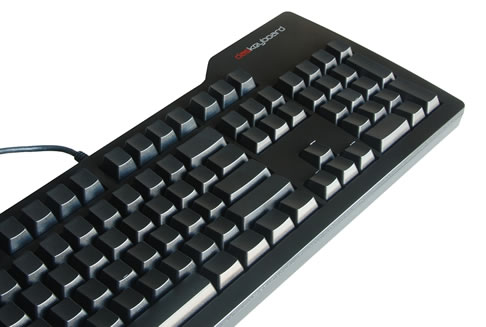
The Das Keyboard may strike you at first with its extremely plain looks compared to some other options on the market. There are no fancy LCD screens, built-in media buttons, macro keys or touch-sensitive pads. What you do get, however, is a basic keyboard layout with a glossy black enclosure, mechanical switches on every key and a built-in two-port USB hub. This minimalist look and feel is exactly what the team over Metadot was aiming for.
[ Via: Julio Franco ]
[ Tag: ]

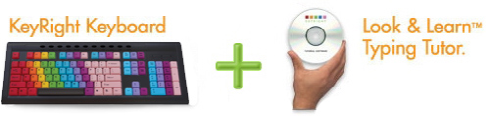
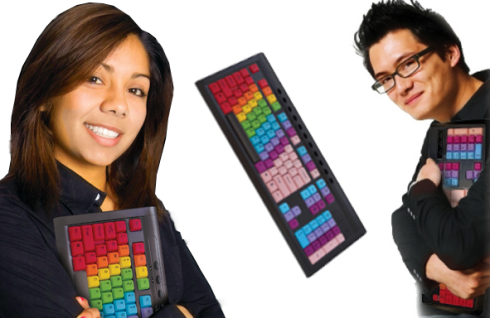
KeyRight's Look & Learning Typing Solution = If Coloring Books and Twister Had a Tech Baby [Keyboard]


Right-pinky to red, left-pointer to sky blue: KeyRight's Look & Learn Typing Solution takes us back to old-school learning by assigning each of your fingers to a certain set of keys distinguished by color. This QWERTY keyboard comes with a typing tutor, which helps you become a touch typist through muscle memory, although the rainbow keyboard's intuitiveness makes this software unnecessary. Plus, dont'cha think learning to type on this keyboard would be a lot more effective than simply being forced to type "a quick brown fox jumps over the lazy dog" a million times over and over and over and over again? Yeah, we do too.


[ Via: Gizmodo, The Gadget Blog ]
[ Tag: ]

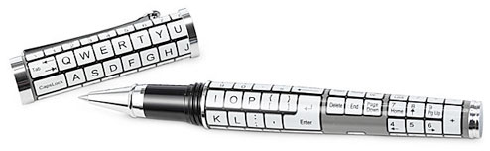
Keyboard Pen Mocks Your Chicken Scratch [Pens]


Oh, there's a full QWERTY keyboard on this pen, but you can't actually type with it. Instead, the keys just sit there, judging you silently as you attempt to remember just how to shape a cursive capital Q or Z. Screw this, it'll be easier just to change your name from Quique Zuzanny. That's what I did, and it's worked out alright for those three times a year I send somebody a card late. The keyboard pen runs $62.
[ Via: Gizmodo, The Gadget Blog ]
[ Tag: ]

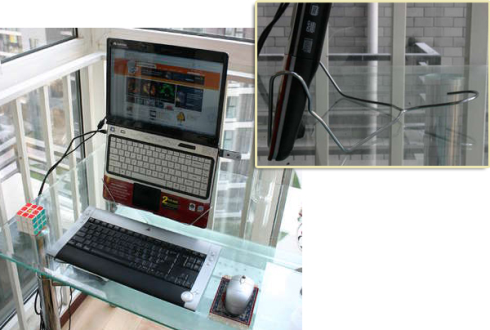
The DIY DumbGuy laptop stand: so easy, even a dumb guy can make it


Don't let that "finished" rubiks' cube fool you. The steps too build this ergonomic laptop stand are dead simple: 1) bend hangar, b) stop bending hangar. Perhaps, therein lies the genus.

[ Via: Engadget ]
[ Tag: coat hanger, CoatHanger, diy, hanger, laptop stand, LaptopStand, stand ]